
5 Signs Your Home Network Needs an Upgrade
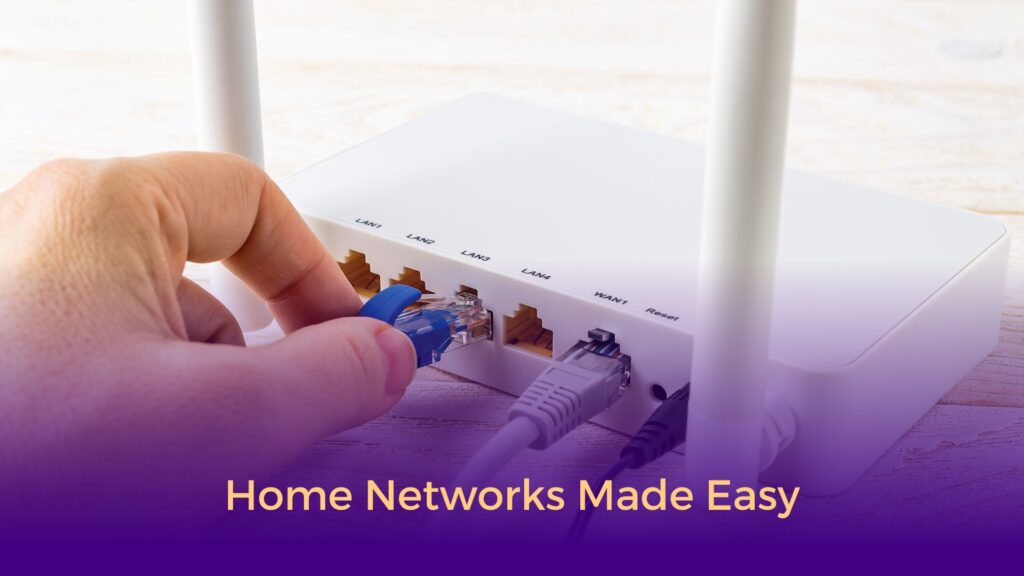
Is your home network giving you trouble? Call on us, we’ll help.
Let’s be honest—we’ve all been there. You’re settling in for movie night, the popcorn’s ready, and then… buffering. Or you’re on an important video call and your connection drops right as you’re making a key point. Frustrating, right?
Your home network is working harder than ever these days. Between remote work, kids streaming their favorite shows, smart home gadgets, and everyone’s collection of devices, it’s a lot to handle. But how do you know when your network is waving the white flag?
We work with families and homeowners frequently at Huffman Information Technology Services, and we’ve learned to spot the warning signs. Here are five clear indicators that it might be time for a home network upgrade.


1. The Never-Ending Buffering Wheel
You know the one—that spinning circle that seems to mock you while you wait for your show to load. If buffering has become your unwanted viewing companion, or websites take ages to load, your network is telling you it needs help.
Here’s what’s going on: Today’s streaming services deliver stunning 4K picture quality, but that requires serious bandwidth. Your trusty old router might have been perfect five years ago, but it’s struggling to keep up with modern demands. It’s like trying to fill a swimming pool with a garden hose—it’ll work eventually, but you’ll be waiting a while.
The good news: Modern routers with Wi-Fi 6 or Wi-Fi 7 technology are built for today’s streaming world. Combined with an internet plan that matches your household’s needs, you can say goodbye to that buffering wheel for good.

2. The Mysterious Case of the Disappearing Wi-Fi
Does your signal vanish when you walk into the bedroom? Can you forget about checking your phone in the backyard? These “dead zones” aren’t just annoying—they’re a sign your coverage needs some love.
Here’s what’s going on: Wi-Fi signals don’t like obstacles. Thick walls, metal appliances, fish tanks, and even the materials your home is built with can block or weaken the signal. The farther you get from your router, the weaker things get. It’s physics, not personal!
The good news: Mesh network systems have changed the game completely. Instead of one router trying to cover your entire home, mesh systems use multiple access points to blanket every corner with strong signal. We can design a setup that eliminates those dead zones once and for all.
3. The Bandwidth Battle Royale
Sound familiar? Someone starts streaming a movie, and suddenly everyone else’s internet slows to a crawl. Or maybe your video call freezes every time your teenager starts gaming. When your family members are competing for bandwidth, nobody wins.
Here’s what’s going on: The average home now has around 10-15 devices fighting for attention—phones, tablets, laptops, smart TVs, security cameras, smart speakers, and more. Older routers simply can’t juggle all these connections efficiently, leading to that frustrating slowdown.
The good news: Today’s routers are much smarter about managing multiple devices. Technologies like MU-MIMO let your router talk to several devices at once instead of one at a time. Plus, we can set up Quality of Service (QoS) to make sure your work-from-home video calls get priority over someone’s background app updates.
4. Your Router Has Seen Better Days
Take a look at your router. If it’s been sitting there collecting dust for more than 3-4 years, it’s probably time for a refresh. We know—if it ain’t broke, don’t fix it, right? But here’s the thing: technology has come a long way.
Here’s what’s going on: The jump from older Wi-Fi standards to Wi-Fi 6 and 7 isn’t just about speed (though that’s nice too). These newer routers handle crowded networks better, offer improved security features, and work more efficiently with your devices. Plus, older routers eventually stop getting security updates, which can leave your home network vulnerable. Some consumer grade routers have been targeted by botnets to be overtaken and used for nefarious purposes. They inject code into your device and take it over, causing further slowdowns.
The good news: Upgrading your router is one of the best investments you can make in your home technology. We prefer to use commercial grade equipment, which means frequent software and firmware updates. So your network stays secure and continues to operate well. You’ll notice the difference immediately, and you’ll be set up for whatever connected devices come next.

5. The Daily Reboot Ritual
If you find yourself unplugging and replugging your router every day—or even every few days—that’s not normal. Sure, an occasional reboot is fine, but if it’s become part of your routine, your router is trying to tell you something.
Here’s what’s going on: Routers can overheat, develop software glitches, or simply wear out over time. Frequent reboots often mean your router is either failing or overwhelmed by your network’s demands. Either way, you shouldn’t have to babysit your internet connection.
The good news: A well-designed network with quality equipment should work reliably in the background. You shouldn’t have to think about it. We can help you figure out whether you need a replacement router, better setup, or a more comprehensive solution.
When It Makes Sense to Bring in the Pros
Look, we love a good DIY project as much as anyone. But some network situations really benefit from professional expertise. You might want to give us a call if:
- You have a larger home (over 2,500 square feet) or multiple floors
- Your work-from-home setup needs rock-solid reliability
- You’ve got a bunch of smart home devices that need to play nicely together
- You want separate networks for guests or security cameras
- You’ve already tried the DIY route and you’re still pulling your hair out
How We Approach Network Design
We’re not just here to sell you a router and call it a day. Our goal is to create a network that actually works for your specific situation—your home’s layout, your family’s habits, and your plans for the future.
Here’s our process:
Schedule Your Consultation
Call, email, or use our online form to describe what you need. We’ll ask a few questions to understand your situation.
We start with a conversation about your goals. Need to boost your speed? Not sure why your security cameras won’t stay online? During our consultation (available in-person or by phone), we’ll discuss what devices you already have, what you want to add, and any challenges with your current setup.
Custom Recommendation & Quote
Based on your needs and budget, we’ll provide a detailed quote with no hidden fees. If you haven’t purchased devices yet, we can recommend the best options for your specific situation and even help you avoid common compatibility issues.
Professional Installation
Our experienced technicians arrive on time, work efficiently, and treat your home with respect. We handle all the physical installation – mounting devices securely, running cables if needed, and ensuring everything looks clean and professional.
We handle the setup and configuration, making sure everything is optimized and secure.
Ongoing Support
Got a question next week or next month? We’re just a phone call away. Our relationship doesn’t end when the installation is complete.
Service Area
Ready to get started? Contact us today and let’s schedule your free consultation.
We provide professional IT services throughout Northeast Ohio, including Akron, Cleveland, Canton, Hudson, Cuyahoga Falls, Medina, and surrounding communities. Whether you’re in Cuyahoga County, Summit County, Stark County, or Portage County, we bring the same quality service and attention to detail to every installation.
Not sure if we service your area?
Just ask!
We travel throughout the region.
Serving Northeast Ohio with network design and installation for homes and businesses since 2020.
What Our Customers Say
You Deserve Internet That Just Works
Your home network should fade into the background, quietly supporting everything you do—not constantly demanding attention or causing frustration. If any of these five warning signs sound familiar, it’s probably time to explore your options.
Think of it this way: you wouldn’t put up with a car that constantly breaks down. Why settle for internet that doesn’t work?
Ready for a professional home network upgrade?
Let’s Chat!
For IT Services you can count on, Contact HITS today!
We’ll help you figure out exactly what you need (no more, no less) to keep your household connected and happy. Call now to get started.
Related Services
Looking for other technology support? We also offer: